







DNS Filtering Lists: How They Work and How They Help Protect Against Fraud
DNS filtering is a security control that helps prevent users and devices from connecting to known malicious, fraudulent, or unwanted internet domains. Instead of waiting for a dangerous webpage to...

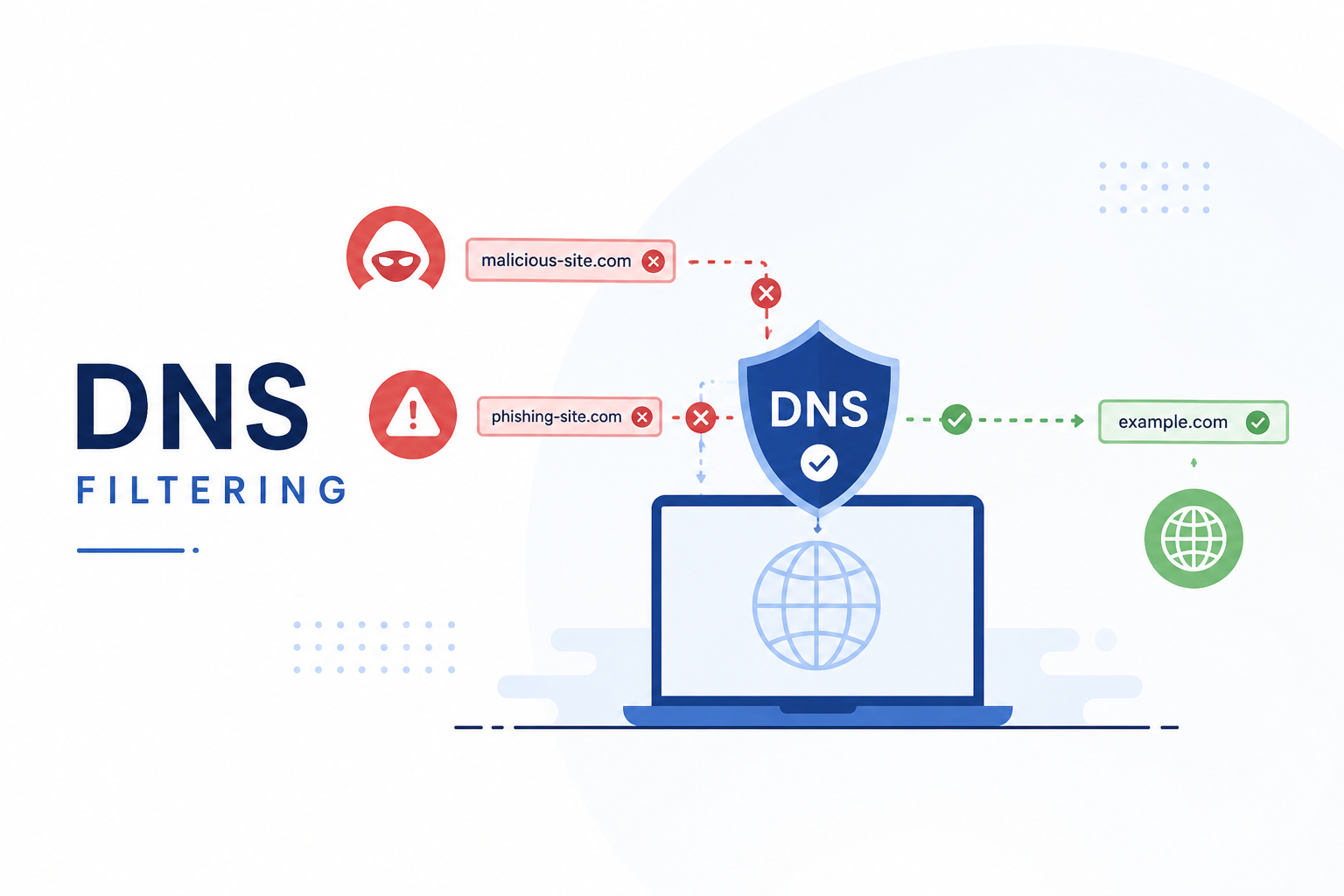
DNS filtering is a security control that helps prevent users and devices from connecting to known malicious, fraudulent, or unwanted internet domains. Instead of waiting for a dangerous webpage to load and then trying to detect the threat, DNS filtering can stop the connection at the domain-resolution stage.
This makes DNS filtering a useful first layer of defense against phishing, fraudulent websites, malware distribution, scam campaigns, and malicious infrastructure.
What Is DNS Filtering?
The Domain Name System (DNS) translates human-readable domain names such as example.com into IP addresses that computers use to establish connections.
When a user enters a website address into a browser, the device normally performs a DNS lookup before connecting to the destination server.
A DNS filtering system places a security decision into this process. Before returning the destination information, the resolver can check the requested domain against security intelligence such as:
- Malicious-domain blocklists
- Phishing-domain lists
- Fraud and scam-domain lists
- Malware distribution domains
- Command-and-control infrastructure
- Newly registered or suspicious domains
- Advertising and tracking domains
- Adult or other restricted-content categories
- Organization-specific deny lists
- Organization-specific allowlists
If the domain is considered unsafe or prohibited, the resolver can refuse the request or return a controlled response instead of allowing the connection to proceed normally.
How DNS Filtering Works: Example
The basic flow can be represented as:
User → DNS Query → Filtering Engine → Threat Intelligence / Blocklist → Decision → Allow or Block
For example, imagine a user receives a fraudulent SMS containing:
https://example-fraud-domain.com/login
When the user clicks the link, the device first needs to resolve the domain through DNS. The DNS filtering system checks the requested domain against its threat-intelligence feeds and blocklists.
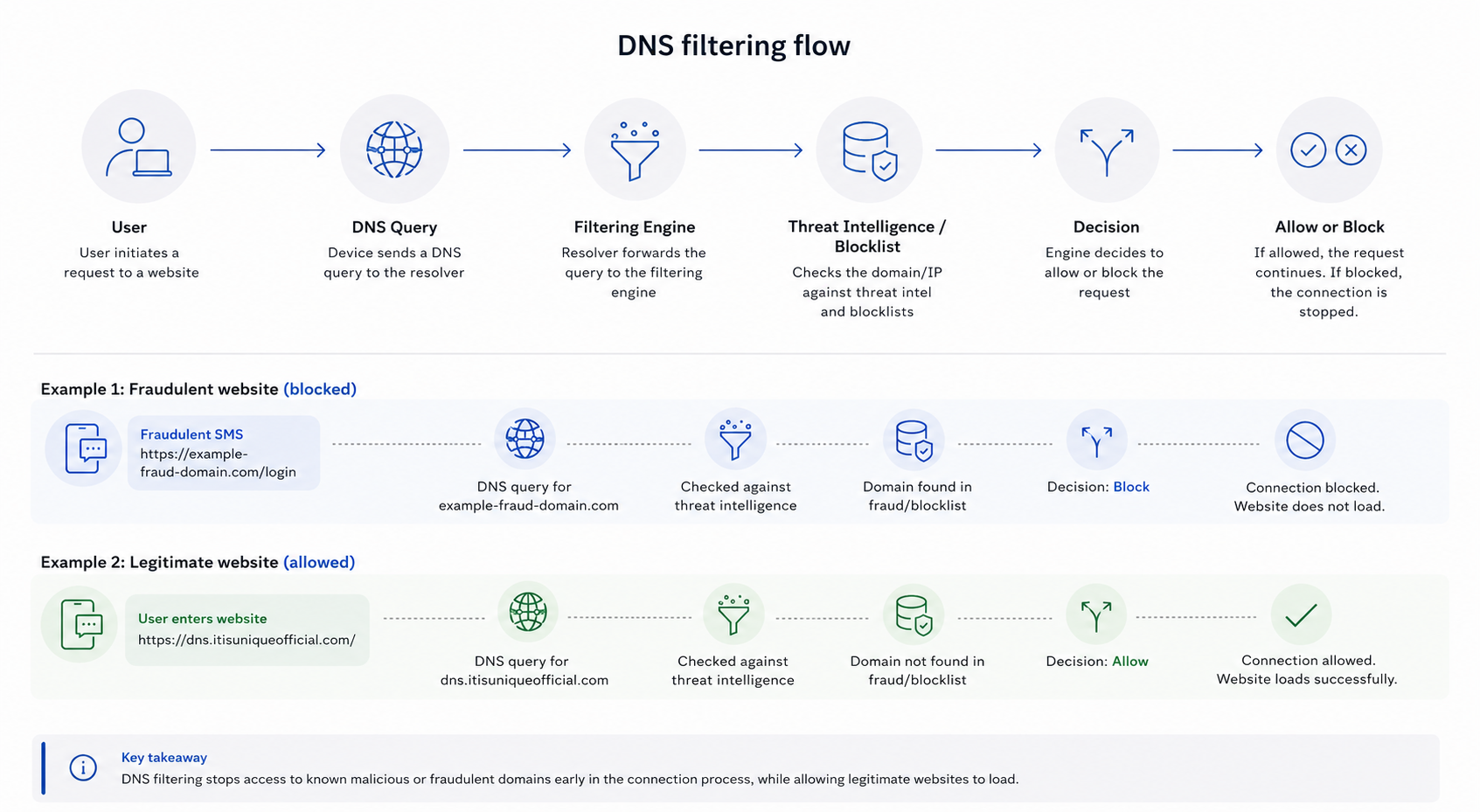
If the domain is identified as malicious or fraudulent, the DNS resolver can block the request before the website loads.
Now consider a legitimate website such as https://dns.itisuniqueofficial.com/. If the domain is trusted and does not match any malicious or restricted category, the DNS filtering system can allow the DNS request to resolve normally, and the user can access the website.
This demonstrates the basic difference:
Fraudulent domain → DNS query → Threat intelligence check → Blocked
Legitimate domain → DNS query → Threat intelligence check → Allowed → Website loads
For organizations maintaining a DNS filtering list, the goal is therefore not simply to block as many domains as possible, but to accurately distinguish between malicious destinations and legitimate websites while minimizing false positives.
Blocklists and Allowlists
DNS filtering commonly uses two important concepts: blocklists and allowlists.
Blocklist
A blocklist contains domains or IP addresses that should be denied.
For example:
malicious-example.com
fake-bank-login.example
known-malware.example
phishing-site.example
When a DNS query matches an entry in the blocklist, the filtering system can prevent resolution.
Allowlist
An allowlist works in the opposite way.
Only explicitly approved destinations are permitted, while other domains are blocked.
This approach can be useful for highly controlled environments such as schools, enterprises, kiosks, or specialized networks.
How DNS Filtering Helps Prevent Fraud
DNS filtering can reduce exposure to fraudulent websites by preventing access to domains that have already been identified as malicious or suspicious.
1. Phishing Protection
Phishing campaigns often direct victims to fake login pages designed to steal:
- Usernames
- Passwords
- Banking credentials
- Payment information
- One-time passwords
- Authentication tokens
- Personal information
If the phishing domain is already present in the DNS security list, the DNS filter can block the connection before the fraudulent webpage loads.
This provides an additional layer of protection even when a user accidentally clicks a malicious link.
2. Fake Banking and Payment Websites
Fraudsters frequently create websites that imitate banks, payment providers, shopping platforms, and other trusted services.
A DNS filtering system can identify and block known fraudulent domains associated with these campaigns.
This is particularly useful because users may not always recognize subtle differences in domain names.
For example, a fraudulent domain might visually resemble a legitimate service while actually being controlled by an attacker.
3. Malware Distribution
Some websites are created specifically to distribute malicious software.
They may host:
- Trojans
- Spyware
- Ransomware
- Malicious APK files
- Malicious executables
- Browser exploits
- Malicious scripts
If the distribution domain has been identified and added to the filtering intelligence, DNS filtering can prevent the device from reaching it.
4. Scam Websites
DNS filtering can also help block domains associated with common online scams, including fake:
- Investment platforms
- Cryptocurrency services
- Shopping stores
- Technical-support pages
- Prize and giveaway websites
- Government-service impersonation
- Delivery and courier scams
The effectiveness depends on whether the malicious domain has been identified and included in the filtering intelligence.
Where Do DNS Filtering Lists Come From?
A security product can build its DNS filtering intelligence from multiple sources.
These may include:
- Internal threat research
- Malware analysis
- Phishing reports
- Security researchers
- Incident-response investigations
- Threat-intelligence feeds
- Community submissions
- Automated domain analysis
- Reputation systems
- Newly registered domain monitoring
- Historical DNS information
- Security telemetry
A mature filtering system may combine multiple sources rather than relying on a single blocklist.
Why Threat Intelligence Needs Continuous Updates
One of the biggest challenges with DNS filtering is that attackers constantly create new infrastructure.
A phishing campaign can register a new domain today, use it for a short period, and abandon it once the domain becomes known.
Therefore, a static DNS blocklist is not enough.
An effective DNS filtering system should continuously update its intelligence and evaluate new domains.
A typical pipeline can look like:
Discover → Analyze → Classify → Verify → Add to List → Distribute → Monitor → Remove/Update
This allows security teams to respond to changing malicious infrastructure.
Domain-Based vs IP-Based Filtering
DNS filtering can operate using domain names as well as IP-related intelligence.
Domain-based filtering
The system checks the requested hostname or domain.
For example:
malicious-domain.exampleIf the domain is classified as malicious, the DNS request can be blocked.
IP-based intelligence
A filtering system can also use information about IP addresses associated with malicious infrastructure.
However, IP-based blocking requires care because multiple legitimate websites may share the same IP address through hosting providers, CDNs, or cloud infrastructure.
For this reason, domain reputation and contextual intelligence are often important components of modern DNS security.
DNS Filtering Is Especially Useful Against Fraud Links
Fraudulent links are often delivered through:
- SMS
- Social media
- Messaging applications
- QR codes
- Online advertisements
- Search results
- Compromised websites
A DNS filtering layer can provide protection regardless of where the link originated.
For example:
Malicious SMS → User clicks link → DNS query → Reputation check → Domain identified as malicious → Connection blocked
The user may still receive the fraudulent message, but the DNS layer can prevent the device from reaching the malicious destination.
DNS Filtering and QR-Code Fraud
QR codes can also redirect users to phishing and scam websites.
A malicious QR code might contain a URL leading to a fake payment page or credential-harvesting website.
When the device follows the URL, DNS filtering can evaluate the destination domain.
If that domain is already classified as malicious, the DNS request can be blocked.
DNS filtering therefore works as a complementary layer alongside dedicated QR-code and URL scanning.
DNS Filtering Does Not Stop Every Fraud Attack
DNS filtering is powerful, but it is not a complete security solution.
For example, it may not block:
- A completely new malicious domain that has not yet been identified
- A compromised legitimate website
- Fraud performed through legitimate services
- Social-engineering attacks that occur without a malicious domain
- Malicious content hosted on a trusted platform
- Attacks that bypass the configured DNS resolver
Attackers can also rapidly change domains and infrastructure.
Therefore, DNS filtering works best as one component of a broader security architecture.
Additional protections can include:
- URL scanning
- Secure web gateways
- Endpoint protection
- Anti-phishing protection
- Email security
- Browser security
- Application security
- Threat intelligence
- Network monitoring
- User awareness training
Encrypted DNS and DNS Security
Traditional DNS was not originally designed with modern privacy requirements in mind.
Technologies such as DNS over HTTPS (DoH) and DNS over TLS (DoT) can encrypt DNS queries between a device and its resolver.
DNSSEC can also help validate DNS responses and protect against certain forms of DNS manipulation.
For organizations deploying DNS filtering, controlling which DNS resolvers devices are allowed to use is important. Otherwise, applications or users may attempt to bypass the organization’s filtering infrastructure by sending DNS requests elsewhere.
What Makes a Good DNS Filtering List?
A useful DNS filtering list should prioritize accuracy and freshness, not simply contain the largest possible number of domains.
Important characteristics include:
- Frequent updates
- Reliable threat intelligence
- Clear classification
- Low false-positive rates
- Domain reputation scoring
- Fast distribution
- Expiration and re-evaluation of old indicators
- Source attribution
- Monitoring and validation
- Support for allowlisting exceptions
A domain that was malicious months ago may eventually become legitimate, expire, or be transferred to another owner. Filtering systems should therefore continuously re-evaluate their lists.
DNS Filtering as a Fraud-Prevention Layer
The major advantage of DNS filtering is its position in the connection process.
It can make a security decision before the user’s device establishes a normal connection to the destination.
That makes DNS filtering a relatively lightweight way to add protection across many devices and applications.
For organizations, it can provide a centralized policy layer:
Device → DNS Resolver → Security Policy → Threat Intelligence → Internet
Instead of configuring individual blocklists on every device, the organization can enforce DNS security centrally.
Conclusion
DNS filtering lists provide an important first line of defense against malicious and fraudulent internet destinations.
By comparing DNS requests against continuously updated security intelligence, a filtering system can block known phishing sites, scam domains, malware infrastructure, and other unwanted destinations before users connect to them.
However, DNS filtering should not be considered a standalone solution. The strongest protection comes from combining DNS intelligence with URL analysis, endpoint security, threat intelligence, secure web gateways, application security, and user awareness.
In simple terms:
DNS filtering asks one important question before a connection is made:
“Is this destination safe enough to allow?”
If the answer is no, the request can be stopped before the malicious website gets a chance to interact with the user.